
For users who use cellphones or smartphones, here’s how to join a meeting:
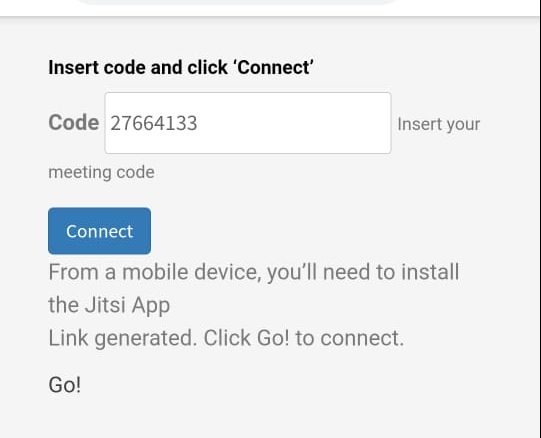
After you enter the page at https://marchingintv.com/ambc-training, enter the “code” given in the column and click “connect” then the window below will appear. Click “GO!” (link text) to continue.
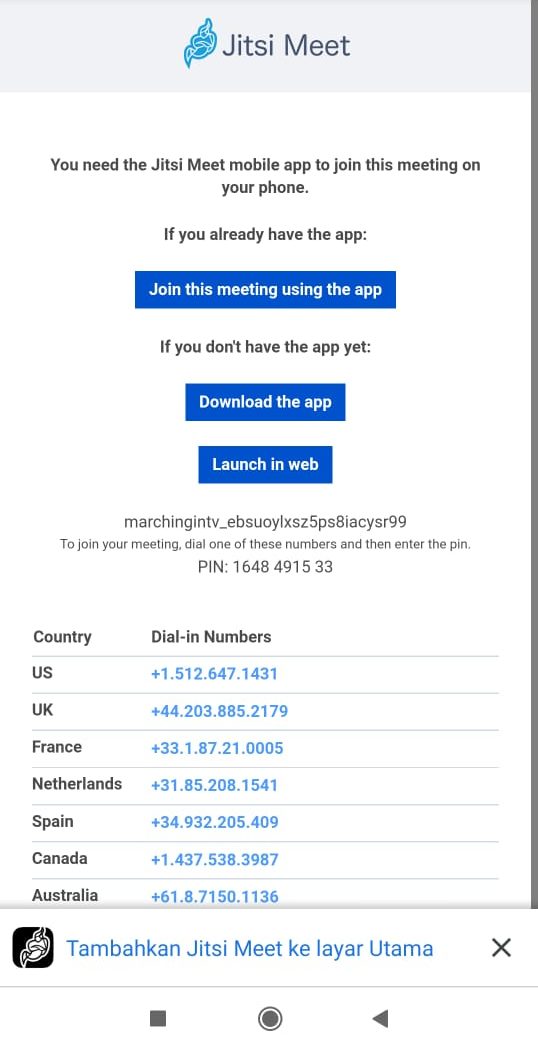
Then a window will appear below with 3 blue buttons, you don’t need to download the application from jitsi. Just select and click the 3rd button “LAUNCH IN WEB”
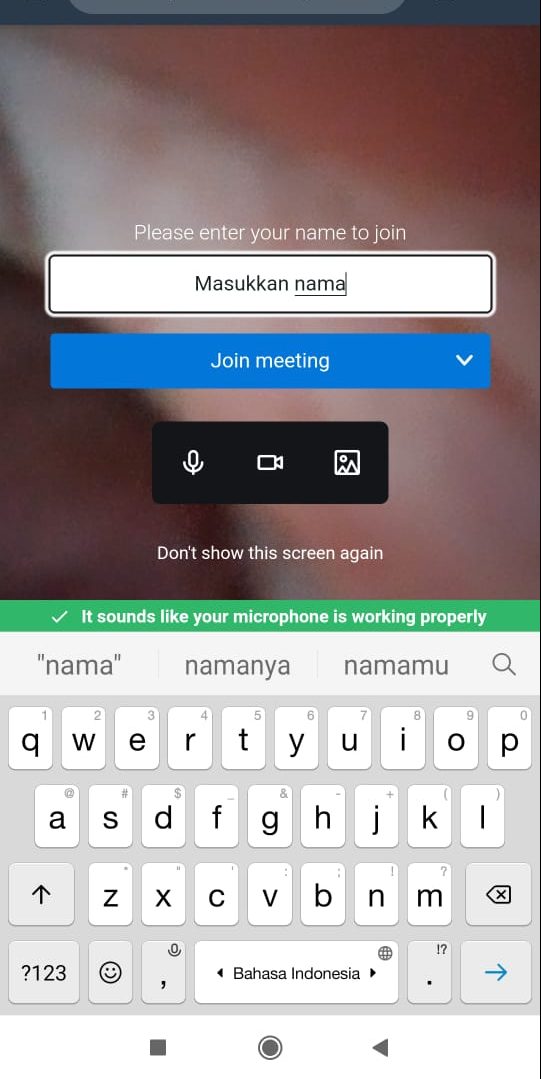
If the connection is successful, a window like the one below will appear. Enter your name, and make sure the microphone and camera android or smartphone are active as in the example in the black box. After that click the “JOIN MEETING” button
Thats all and done